
How to Download & Install Our Versions of Emby app
Please uninstall Emby complete from your device, delete app and try our options listed below
- Open Downloader
- Enter ONE of the downloader code below if you have any issues
Please uninstall Emby complete from your device, delete app and try another option listed below
These unlocked Emby apps bypass Emby premier/free device limit
- Emby for Android 3.5.28 by Kirlif
For arm (32 bit TV boxes such as Onn 4k/plus/pro, Chromecast, Google TV streamer, Firesticks) - Downloader code:
1084999 - Android URL: http://aftv.news/1084999
- Emby for Android 3.5.28 by Kirlif
For arm64 (64bit TV boxes such as the Nvidia Shield and modern Android phones) - Downloader code:
6093151 - Android URL: http://aftv.news/6093151
- Emby for Android TV 2.1.31g by Kirlif
Unified (All Android/Google TV devices) - Downloader:
3741005 - Android URL: http://aftv.news/3741005
The app will download. Once complete, select the file and click Install.
If prompted again, allow apps from unknown sources.
Installation should now complete.
Logging into Emby with PIN
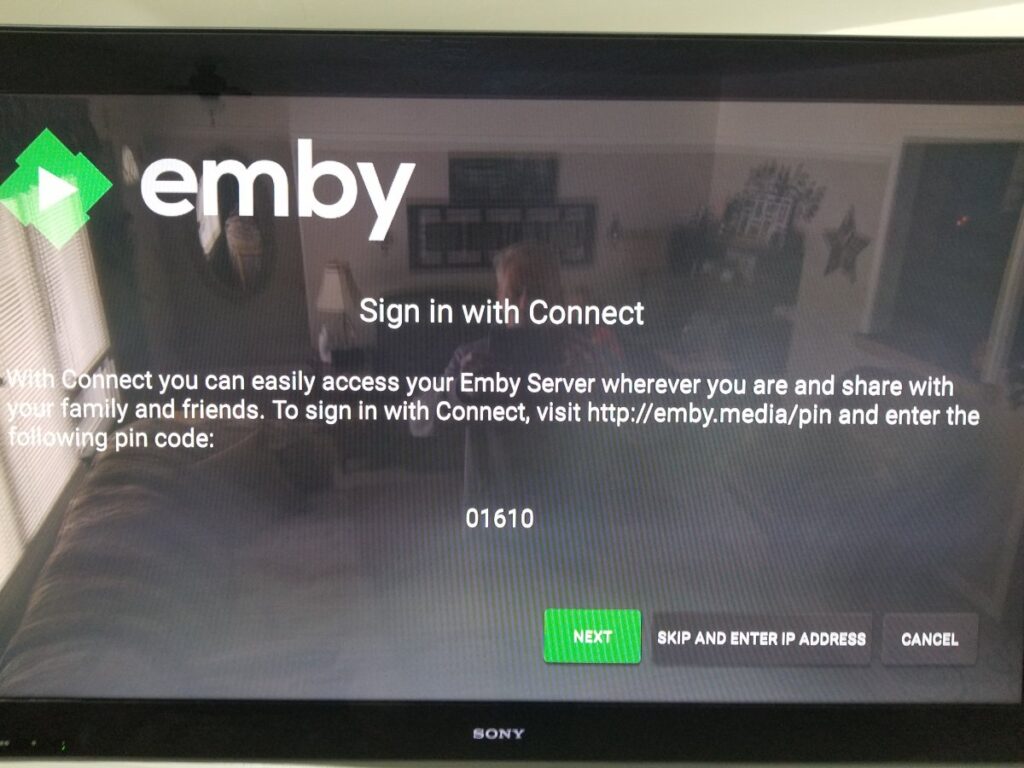
- Open the Emby app on your device.
- If a PIN code appears on screen
- On your phone go to: https://emby.media/pin
- login to your account if asked Enter the code shown on your TV or device.
- You’re now logged in and ready to stream.
Your all setup and ready to start Enjoying UTVX
Look out here for, MORE COMING SOON!!!